Technical Review
Match the suite, thermostat, zone, and RTU before tracing controls, electrical operation, airflow, cooling, heating, and condensate faults.
MaksBuilder provides HVAC service for mixed-use and small-commercial properties where several tenants, schedules, thermostats, and rooftop units share one site. If the property is primarily residential rather than a mix of residential and commercial occupancies, see Multifamily HVAC Services. Service may include diagnostics, repair, maintenance, controls review, equipment mapping, and replacement planning.
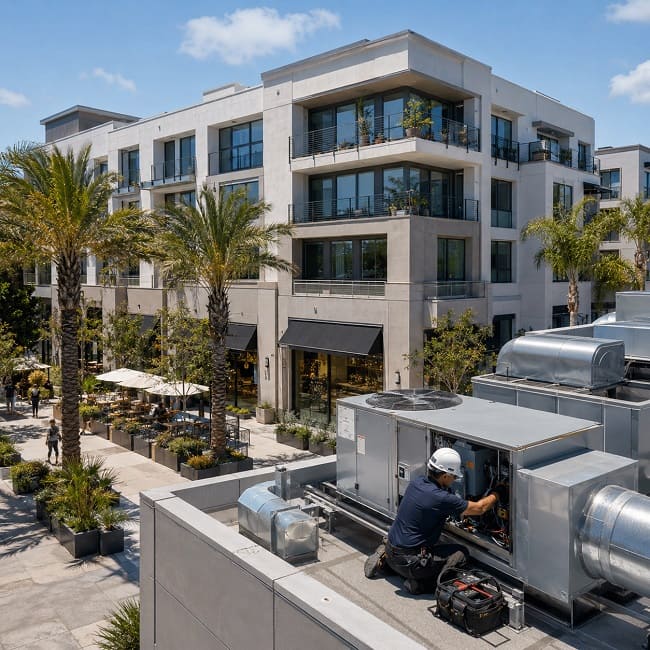
Match the suite, thermostat, zone, and RTU before tracing controls, electrical operation, airflow, cooling, heating, and condensate faults.
Plan roof access, occupied service windows, tenant notifications, authorization, and equipment-level service records.
A warm storefront, an uncomfortable residence, and an odor complaint may involve different systems or operating conditions. Diagnosis begins by identifying the affected area, the equipment serving it, and what changed before the problem appeared.
A thermostat calls, but the expected rooftop unit does not respond, or previous service records identify a different unit.
What we checkRTU labels, thermostats, available unit schedules, control wiring, tenant plans, and actual equipment response.
A retail, office, or common area becomes uncomfortable after an automatic setback while another part of the property remains occupied.
What we checkOccupied and unoccupied schedules, overrides, setpoints, sensor location, zone assignment, and after-hours operating needs.
A suite was comfortable before a remodel, but new rooms, equipment, lighting, or operating hours now create hot or cold areas.
What we checkNew partitions, return-air paths, diffuser locations, added heat-producing equipment, occupancy, and the area served by the existing system.
Doors become difficult to open, or odors move from a restaurant, restroom, garage, or service area into offices or residences.
What we checkExhaust operation, make-up air where present, outside-air components, return paths, door behavior, and pressure changes during equipment operation.
Fan, motor, panel, or startup noise is noticeable in an upper-floor residence, office, or live-work area below the equipment.
What we checkFan and motor condition, belts where equipped, loose panels, vibration, curb or duct contact, and the operating stage that produces the sound.
One tenant is comfortable while a shared corridor, interior office, or neighboring area remains too warm or too cold.
What we checkThermostat and sensor placement, zone association, setpoints, damper response where installed, schedules, and available control inputs.
We start with the affected suite or common area, identify the equipment that serves it, and then expand the inspection only when the fault points to controls, airflow, shared systems, or a larger property issue.
Troubleshooting for no cooling or heat, intermittent operation, weak airflow, thermostat faults, electrical problems, unusual noise, condensate leaks, fan issues, and economizer faults where equipped.
View rooftop unit repairMaintenance records tie filters, coils, fans, belts where used, drainage, electrical condition, thermostat response, economizer operation, and follow-up work to the correct unit and tenant area.
View commercial HVAC maintenanceWe check thermostat calls, occupied schedules, sensor placement, filters, supply and return airflow, dampers, and outside-air components when they are part of the system.
View commercial HVAC servicesReplacement planning covers equipment condition and capacity, tenant schedules, curb and duct compatibility, electrical and controls connections, rooftop access, lifting logistics, shutdown timing, and permitting.
View commercial HVAC replacementClear service records make repeat repairs easier to diagnose and give property managers better information for maintenance and replacement decisions.
The process keeps the affected tenant, HVAC unit, access instructions, authorization contact, and service window connected from the first request through the completed work.
Provide the address, affected area, current symptom or project goal, known equipment information, roof access, and preferred service window.
The tenant, thermostat, zone, controls, and rooftop or mechanical equipment are matched before diagnosis begins.
Testing follows the symptom through the relevant controls, electrical components, fan operation, airflow, cooling, heating, outside-air components, and drainage.
The service record identifies the equipment, completed work, remaining concerns, and recommendations requiring separate authorization or planning.
A technician may need access to both the occupied area and the equipment serving it. Confirming those details in advance reduces delays and avoidable disruption.
Restaurant hood and exhaust systems, make-up air, fire-life-safety controls, major building-automation integration, testing and balancing, roofing, structural work, crane service, and major electrical upgrades may require separate contractors or authorization.
Residential dwelling units and nonresidential tenant spaces may also have different ventilation, exhaust, controls, and project requirements. The affected occupancy and HVAC system should be identified before the scope is defined.
An isolated failed part does not automatically justify replacement. The decision should consider the confirmed fault, overall equipment condition, repair history, parts availability, tenant impact, and whether the system still fits the area it serves.
MaksBuilder is based in Foothill Ranch and serves mixed-use and small-commercial properties across its South Orange County service area. Scheduling and scope depend on the property, equipment configuration, roof access, requested work, and operating requirements. Project details are confirmed before scheduling.
“Prompt response and prompt appointment. Process of communication was easy and clear.”
Need references for a similar commercial property? Ask when requesting a proposal.
Include the South Orange County property address, affected suite or area, current HVAC problem, known unit number, roof-access instructions, and preferred service window. These details help us identify the likely system, confirm access requirements, and plan the right commercial HVAC visit.